How to make a real estate video from photos
Make a vertical listing video from the photos you already have: which photos to pick, what order, what text to show and what to check before posting.
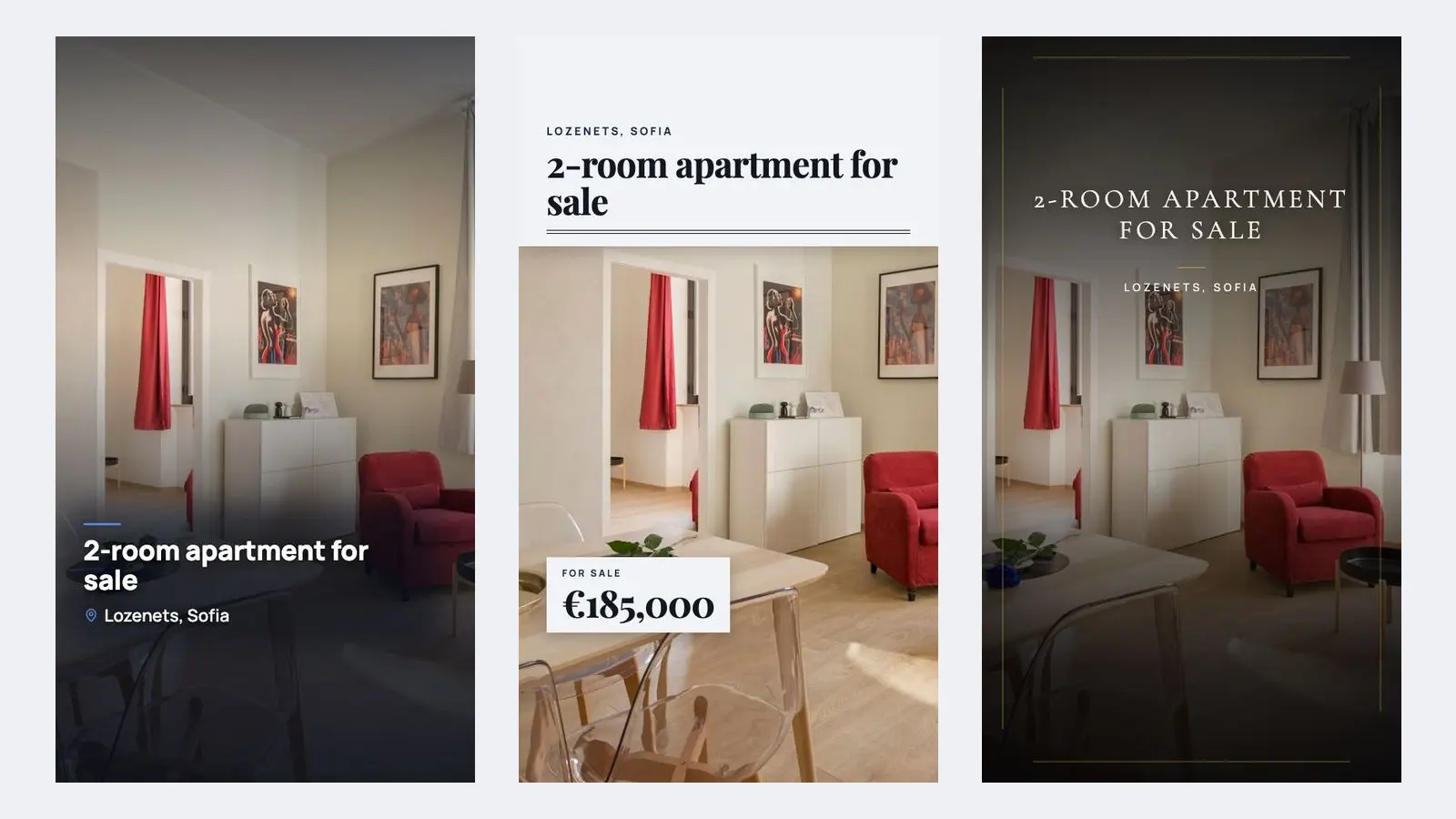
To make a real estate video from photos, pick 8 to 12 sharp photos of the actual property, put them in the order a buyer would walk through it, show price, area and district on screen, and end on a card with your name and phone number. You do not need to film anything: the listing photos are enough.
This guide is for estate agents who already have a photo set and want a short vertical video for Instagram Reels, Facebook, TikTok or Stories. It covers the choices that make the difference, and the checks that keep the video honest.
What do you need before you start?
You need three things: the listing photos, the facts you want on screen, and your contact details. Gather them first, because changing a price or a phone number after the video is rendered means making it again.
- Photos: the real photos of this property, taken for this listing. No renders, no stock images, no photos of the flat next door.
- Facts: price, area in m², district, number of rooms, floor, and two or three highlights such as a terrace or a new kitchen.
- Brand details: your name, phone number and agency, written exactly as they appear on your listing.
If a fact is not confirmed yet, leave it out of the video. A wrong number on screen spreads further than a wrong number in a caption.
Which photos should go into the video, and in what order?
Use the photos that a viewer needs to picture the home, in the order they would see it on a viewing. Open with the single strongest frame, then walk through the property, then close on a detail or view that makes it different.
| Slot | Photo | What it does |
|---|---|---|
| 1 | Best room or view, brightest shot | Decides whether people keep watching |
| 2 | Living room, wide | Shows size and layout |
| 3 | Kitchen | One of the first rooms buyers and tenants check |
| 4 | Main bedroom | Makes it feel like a home |
| 5 | Bathroom, if clean and bright | Leave it out if not |
| 6 | Balcony, terrace or garden | Often the main selling point |
| 7 | One detail: windows, storage, flooring | What separates it from similar listings |
| 8 | Building or street | Matches what people see on arrival |
Two rules keep the rhythm. Keep rooms together, so the viewer can follow the layout in their head. Alternate wide and close shots, so the video does not feel flat.
Most listing photos are landscape. A vertical 9:16 frame keeps only about 38% of the width of a standard 3:2 photo, so prefer photos where the subject sits near the middle. Check every frame after cropping: a cut-off window or half a sofa looks careless.
How long should a listing video be?
Short: one clear pass through the property, not a full tour. At about 2.5 to 3 seconds per photo, 8 to 12 photos give you a video of roughly 20 to 35 seconds, which is the length PropReels renders.
Fewer than eight photos usually feels thin. More than twelve, and viewers see the same room twice before they reach your contact card. Platforms change their length and format rules often, so check the current rules of Instagram, Facebook or TikTok before you plan a longer cut.
What text should be on screen?
Put the facts a buyer filters by on screen, and nothing more. Many people watch with the sound off, so the text has to do the work.
- Price on the first or second photo, with "per month" for a rental.
- District or neighbourhood, not just the city: "Clifton, Bristol" says more than "Bristol".
- Area and rooms: "68 m² · 2 bedrooms".
- Floor, when it matters: a top floor with a view, or a ground floor with a garden.
- One highlight per scene at most, in a few words.
Keep text away from the very bottom and right edge of the frame, where the apps place captions and buttons. One short line per scene is easier to read than a paragraph.
Three ways to make the video
You can edit it yourself, hire someone, or use a tool built for listing photos. All three can work; they differ in how much control you keep and how much time each listing takes.
| Way | You control | Watch out for |
|---|---|---|
| Edit it yourself in a general video app such as CapCut or Canva | Everything: order, timing, text, music | Takes the longest per listing; every video looks a bit different |
| Hire a videographer or video service | Brief and approval | You wait for delivery and pay per listing |
| Photo-to-video tool for agents | Photos, order, facts, style | Some tools add AI motion, furniture or a new sky; that changes what the buyer sees |
Whatever you choose, the property in the video must look the way it really is. If a tool adds furniture, removes objects or invents camera moves through rooms, check the result frame by frame, and label any virtual staging as your local rules require.
How to make one with PropReels
PropReels turns your own listing photos into a branded vertical MP4, 1080×1920, about 20 to 35 seconds long. It uses the photos exactly as taken: it does not generate, enhance or alter them.
- Upload the listing photos, then choose and order them.
- Enter the price in euro, the area, district, rooms, floor and a few highlights.
- Pick a visual style and add your name, phone and agency.
- Review the captions. PropReels suggests a short caption for each scene from your photos and facts, and you can edit or remove every one.
- Download the MP4 and post it yourself. PropReels does not post to social networks or listing portals for you.
One thing to know in the UK: PropReels shows the price in euro. For a listing priced in pounds, decide whether the price goes on the video or only in the post caption.
The steps are shown on the PropReels home page, and the FAQ answers the common questions about photos and languages.
Checklist before you post
Run through this list once the video is ready. It takes two minutes and catches the mistakes that cost the most.
- Price, area, rooms and district match the listing, character for character.
- Every photo shows this property as it is today.
- No photo has been staged or edited in a way the viewer cannot see.
- The first frame works on its own, even before any text appears.
- Your name and phone number are on the final card and in the post caption.
- If you also want the video on a portal such as Rightmove, Zoopla or Daft.ie, check that portal's current help pages for whether and how it accepts video.
Your next step
Open your latest listing folder and pick the eight photos you would use. If you want to see the result before you decide, create a free PropReels account: you get five free videos, no card needed, and the pricing page shows the one-time packs after that.